Frequently Asked Questions
general
How do I add the Peugeot Outils Professionnels app icon to my smartphone?
You can add a quick access icon to our website directly to your smartphone's home screen, just like an app.
Here's how:
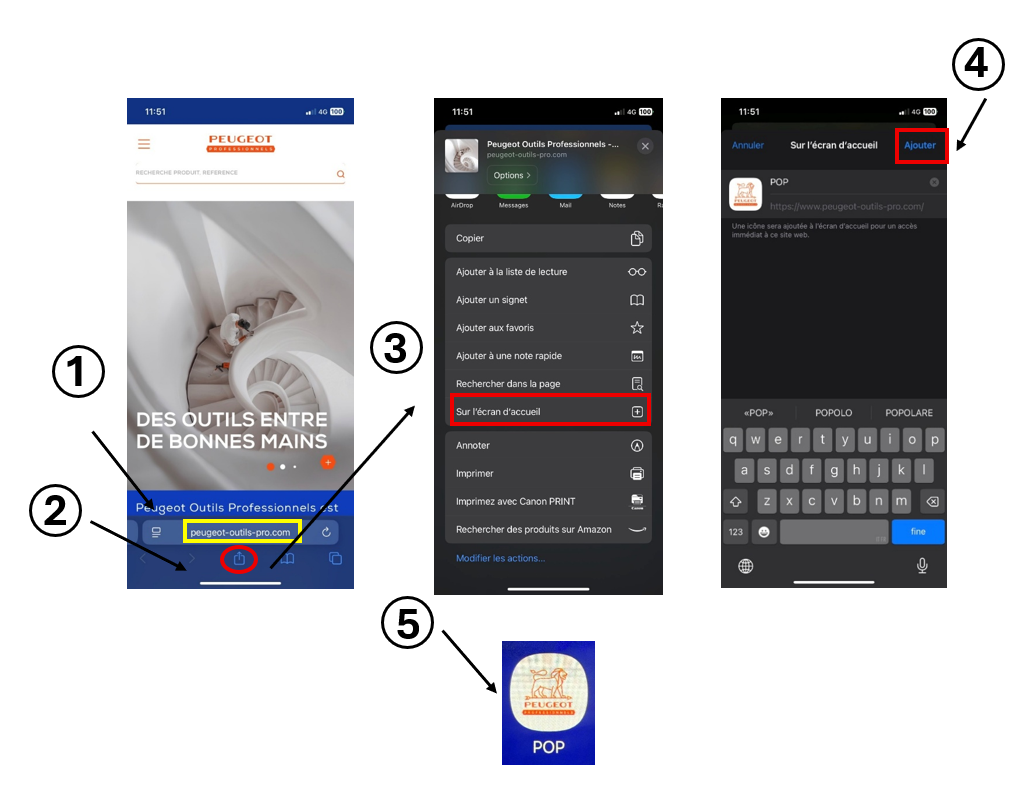
On iPhone (Safari):
- Open www.peugeot-outils-pro.com in Safari.
- Tap the Share icon (the square with an arrow at the bottom of the search bar).
- Select "Add to Home Screen."
- Tap "Add."
The icon will then appear on your home screen. Tapping it will open the website just like an app.
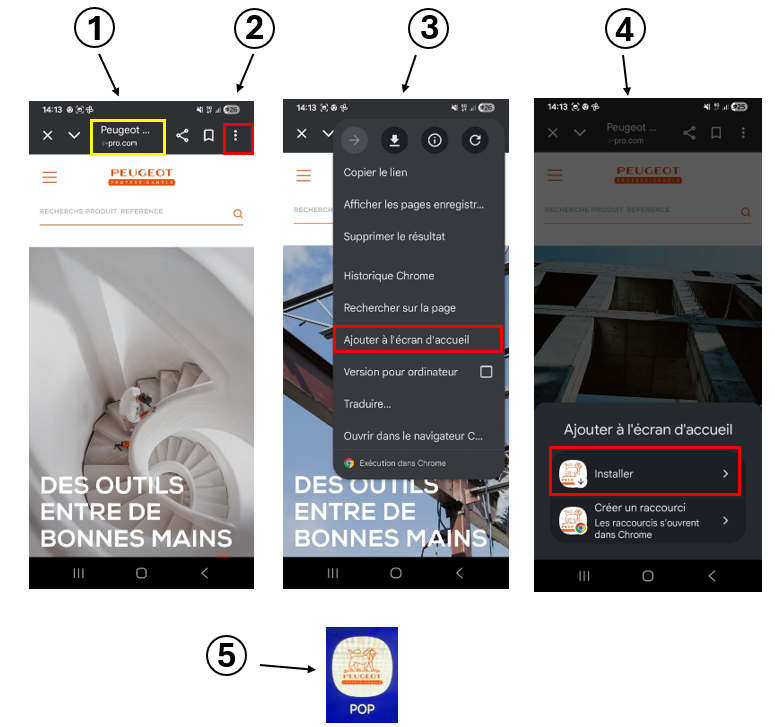
On Android (Chrome or another browser):
- Go to www.peugeot-outils-pro.com.
- Tap the three dots in the top right corner of the browser.
- Select "Add to Home screen".
- Confirm by tapping "Add".
A custom icon will also appear on your screen.
The icon has been designed for better visibility and quick access to all the site's features from your mobile device.